Approvals in ServiceNow
User Criteria vs Manager vs Group (What’s the Difference?)
Approvals are the backbone of service delivery in ServiceNow.
Whether it’s:
Access request
Laptop provisioning
Budget approval
HR request
Understanding how approvals work is essential for proper implementation.
But many developers get confused between:
User-based approvals
Manager approvals
Group approvals
User Criteria
Let’s break it down clearly.
How Approvals Work in ServiceNow
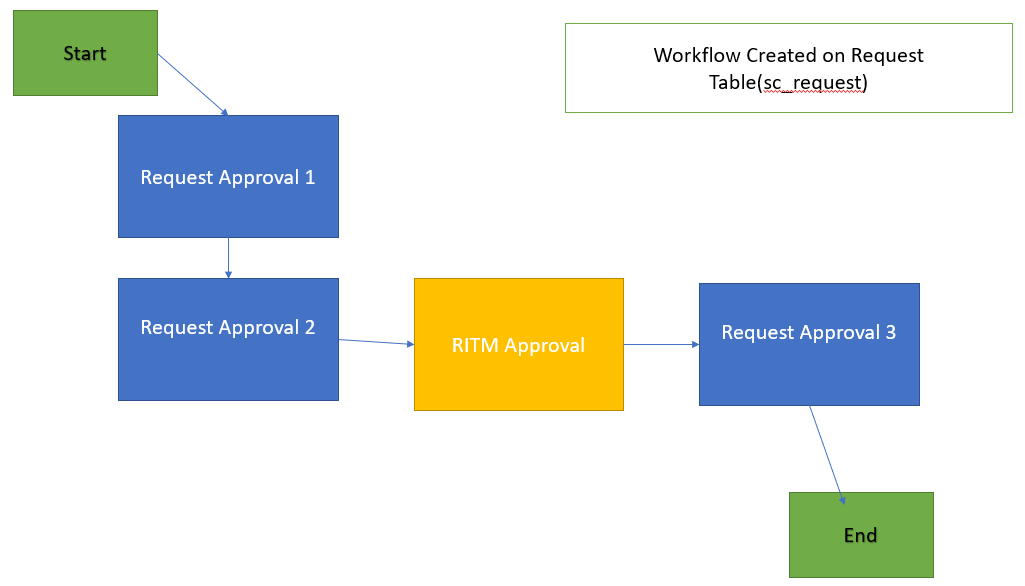
When a request is submitted:
REQ → RITM → Approval → Task Creation
Approval must complete before tasks proceed (if configured).
1️⃣ Manager Approval
This is the most common approval type.
Used when:
The requester’s manager must approve.
ServiceNow automatically checks:
Requested For → Manager field (on user record)
Example
Employee requests software
Manager must approve before provisioning
Key Point
If user has no manager defined → approval fails.
2️⃣ Group Approval
Used when approval must come from a team.
Example:
IT Security Team approval required.
You configure:
Approval → Assignment Group
Behavior Options
Anyone approves → approved
All must approve → approved
Important to define correctly.
3️⃣ User-Based Approval
Specific individual must approve.
Example:
Finance Director approval for purchases above $5000.
Configured by directly selecting a user.
Best for role-based authority.
4️⃣ What is User Criteria?
Many confuse User Criteria with approval.
User Criteria does NOT approve requests.
It controls:
Who can see catalog items
Who can submit requests
It is an access control mechanism, not an approval process.
Quick Comparison
| Feature | Manager | Group | Specific User | User Criteria |
|---|---|---|---|---|
| Based on user manager | ✔ | ✖ | ✖ | ✖ |
| Based on team | ✖ | ✔ | ✖ | ✖ |
| Specific individual | ✖ | ✖ | ✔ | ✖ |
| Controls visibility | ✖ | ✖ | ✖ | ✔ |
| Approval process | ✔ | ✔ | ✔ | ✖ |
Common Mistakes
Using User Criteria instead of approval
Forgetting to define manager field
Not configuring group approval type
Approval stuck because of wrong role
Best Practice Rule
Manager approval → Hierarchy control
Group approval → Operational validation
User approval → Executive decision
User Criteria → Access filtering
Conclusion
Approvals ensure governance and compliance.
Choosing the correct approval type ensures:
smoother workflow
fewer stuck requests
cleaner process
Understanding approval logic is critical for ServiceNow developers and administrators.
💼 Need Help with Camunda, Jira, or Enterprise Workflows?
I help teams solve real production issues and build scalable systems.
Services I offer:• Camunda & BPMN workflow design and debugging • Jira / Confluence setup and optimization • Java, Spring Boot & microservices architecture • Production issue troubleshooting
🔗 View Services: https://shikhanirankari.blogspot.com/p/professional-services.html
📩 Email: ishikhanirankari@gmail.com | info@realtechnologiesindia.com
✔ Available for quick consulting calls and project-based support✔ Response within 24 hours
🎥 Learn IT with Shikha on YouTube
Prefer learning through videos? Watch practical tutorials on Kafka, Camunda, Alfresco, Java, Spring Boot, Microservices and Enterprise Architecture.▶ Subscribe to Learn IT with Shikha on YouTube


Comments
Post a Comment